Chapter 7
Settings & billing
Settings is where StampSherpa learns your business, and where you manage the practical things: what prints on every card, where your mail comes from, and your plan.
Your business
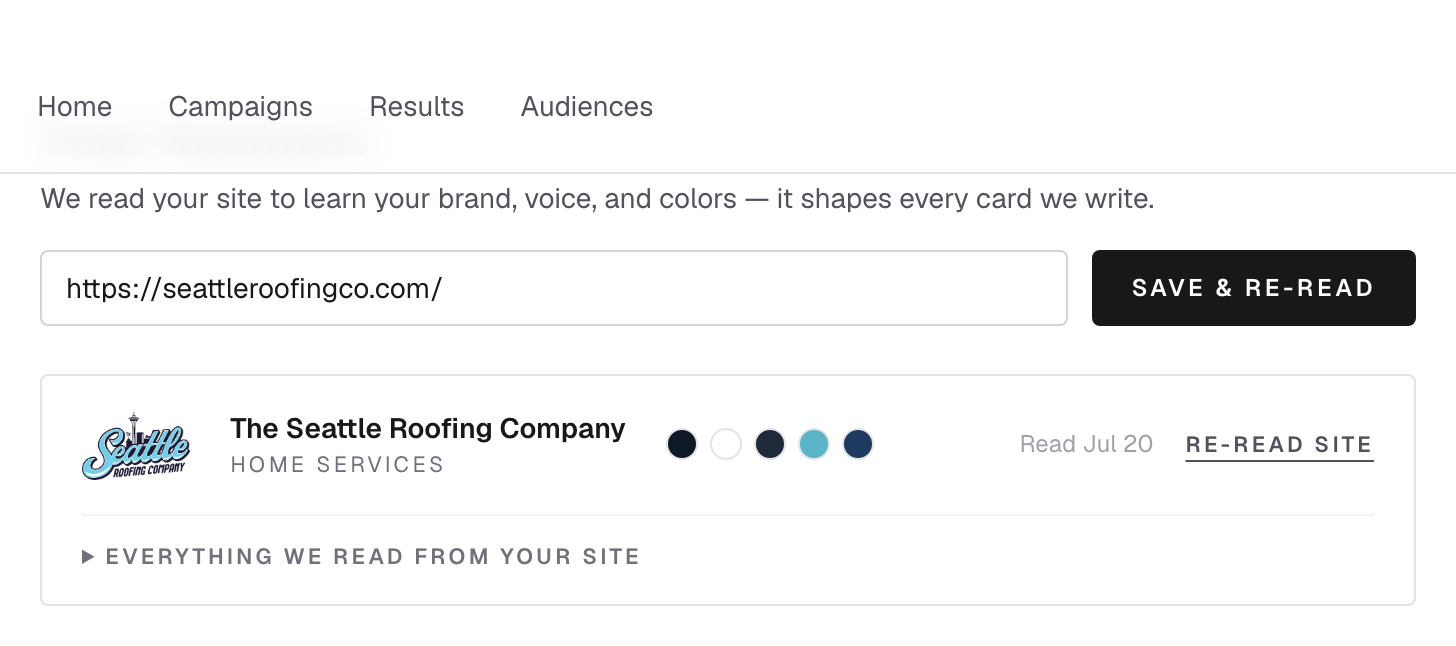
Everything we know about your business comes from your site. Redesigned it? Added a new service? Hit Save & re-read and your future postcards pick up the changes. Changing to a different website starts fresh: new brand, new details.
What prints on every card
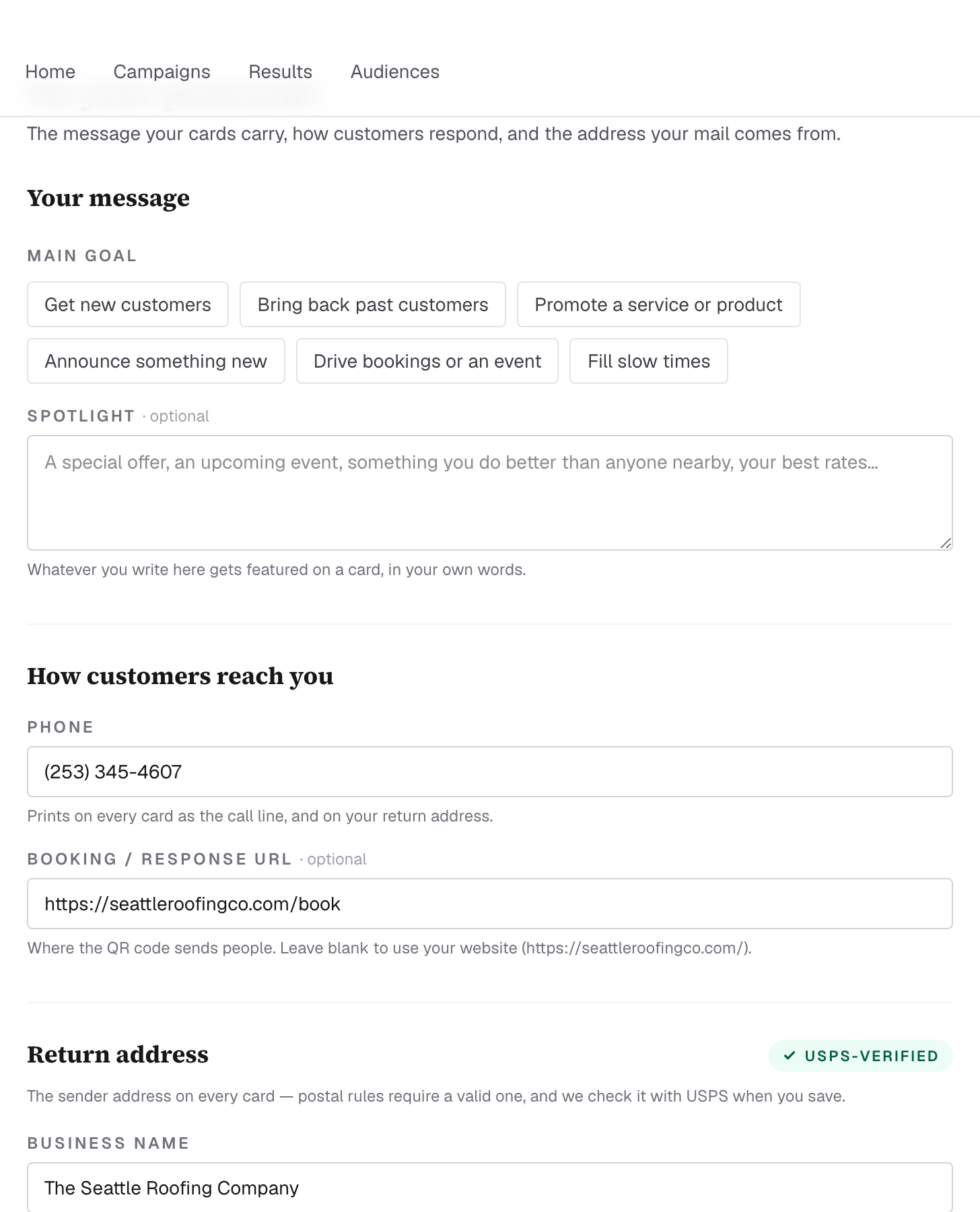
- Your message. Pick a main goal (new customers, win-backs, bookings…) and optionally a spotlight (a specific offer or event, in your own words). Both steer next month's postcards.
- How customers reach you. The phone number printed on every card, and the booking/response URL the QR code opens.
- Return address. Postal rules require one, and a bad sender address can sink a whole mailing, so we verify yours with USPS when you save it and show a USPS-verified badge when it's clean.
Plan & billing
Everything money-related is self-serve, no email required:
- Manage subscription opens your secure billing portal: update your card, download invoices, or cancel online anytime. Plans renew monthly; when you cancel, your plan runs through the period you've paid for.
- Switching plans: cancel your current plan in the portal first, then choose the new one, which keeps you on exactly one subscription.
- Overages are always explicit. Extra addressed pieces ($2 each) and over-allotment Neighborhood homes are shown and confirmed before anything is charged.
You made it
That's the whole system: six cards a month, two ways to aim them, honest tracking, and
settings that keep it all yours. Questions this guide didn't answer live in the
FAQ, or just talk to us.